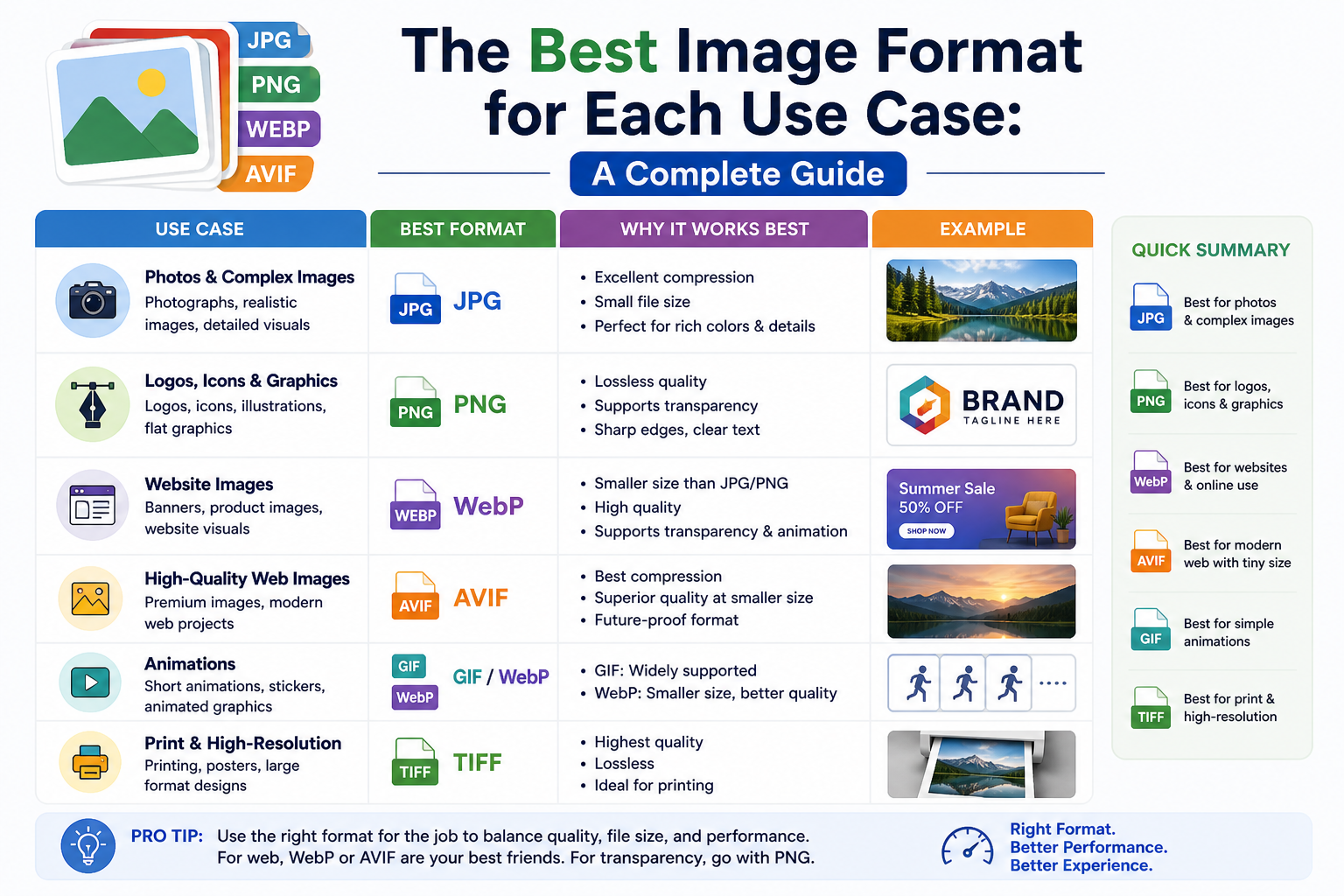
With four major image formats in common use — JPG, PNG, WebP, and AVIF — choosing the right one can be confusing. Use the wrong format and you’ll either waste bandwidth, lose quality, or end up with compatibility issues.
This guide gives you a clear answer for every common situation.
Photography and Realistic Images
Best format: JPG (or WebP/AVIF for web)
Photographs have millions of subtle colour gradients and tones. PNG’s lossless compression doesn’t reduce these files much. JPG’s lossy compression, however, exploits the fact that human eyes are less sensitive to small colour variations — achieving huge file size reductions with minimal visible quality loss.
For web delivery, WebP gives you 25–35% smaller files than JPG. AVIF gives you even more savings. If you need universal compatibility (email, sharing), stick with JPG.
Logos and Icons
Best format: PNG (or SVG for vector graphics)
Logos typically have flat colours, sharp edges, and transparent backgrounds. PNG’s lossless compression preserves these crisp edges perfectly. JPG would introduce blocky compression artefacts around the edges — making your logo look blurry or pixelated.
If your logo is vector-based, SVG is even better. For raster logos, PNG is the right choice.
Screenshots and UI Mockups
Best format: PNG
Screenshots contain text, interface elements, and sharp pixel-level detail. JPG compression smudges text and introduces visible artefacts around high-contrast edges. PNG preserves everything exactly. Slightly larger file size is worth it for the sharpness.
Web Images (Photos on a Website)
Best format: WebP or AVIF
If you’re building a website, modern formats are the way to go. WebP is supported by all modern browsers and gives you 25–34% better compression than JPG. AVIF goes even further — 20–50% smaller than WebP at equivalent quality.
Both support transparency, both support lossy and lossless modes. AVIF encoding is slower, but the results are exceptional.
Email Attachments and Sharing
Best format: JPG
When sharing images via email or messaging apps, compatibility is paramount. Not all email clients or devices handle WebP or AVIF. JPG is universally understood — every device, every OS, every app can open it. Use 85–90% quality for a good size/quality balance.
Image Editing and Archiving
Best format: PNG (or RAW/TIFF for professionals)
If you’re going to edit an image further, save it as PNG between editing sessions. Re-saving JPGs repeatedly degrades quality every time. PNG preserves all data losslessly, so you won’t accumulate compression artefacts across multiple edit rounds.
Social Media
Best format: JPG (check platform recommendations)
Most social platforms recompress images when you upload them — so the format you upload matters less than it used to. JPG is a safe universal choice. Some platforms now accept WebP. Check the specific platform’s recommendations for optimal results.
Quick Reference
- Photos for web → WebP or AVIF
- Photos for sharing/email → JPG
- Logos and icons → PNG
- Screenshots → PNG
- Editing workflow → PNG
- Maximum compression → AVIF
👉 Convert between any of these formats instantly — free and private. Try it free at SimpleImageConverter.in
Comments
One response to “The Best Image Format for Each Use Case: A Complete Guide”
[…] last. After editing, convert to the right format and quality. See our guides on the best image format for each use case and what JPG quality to […]