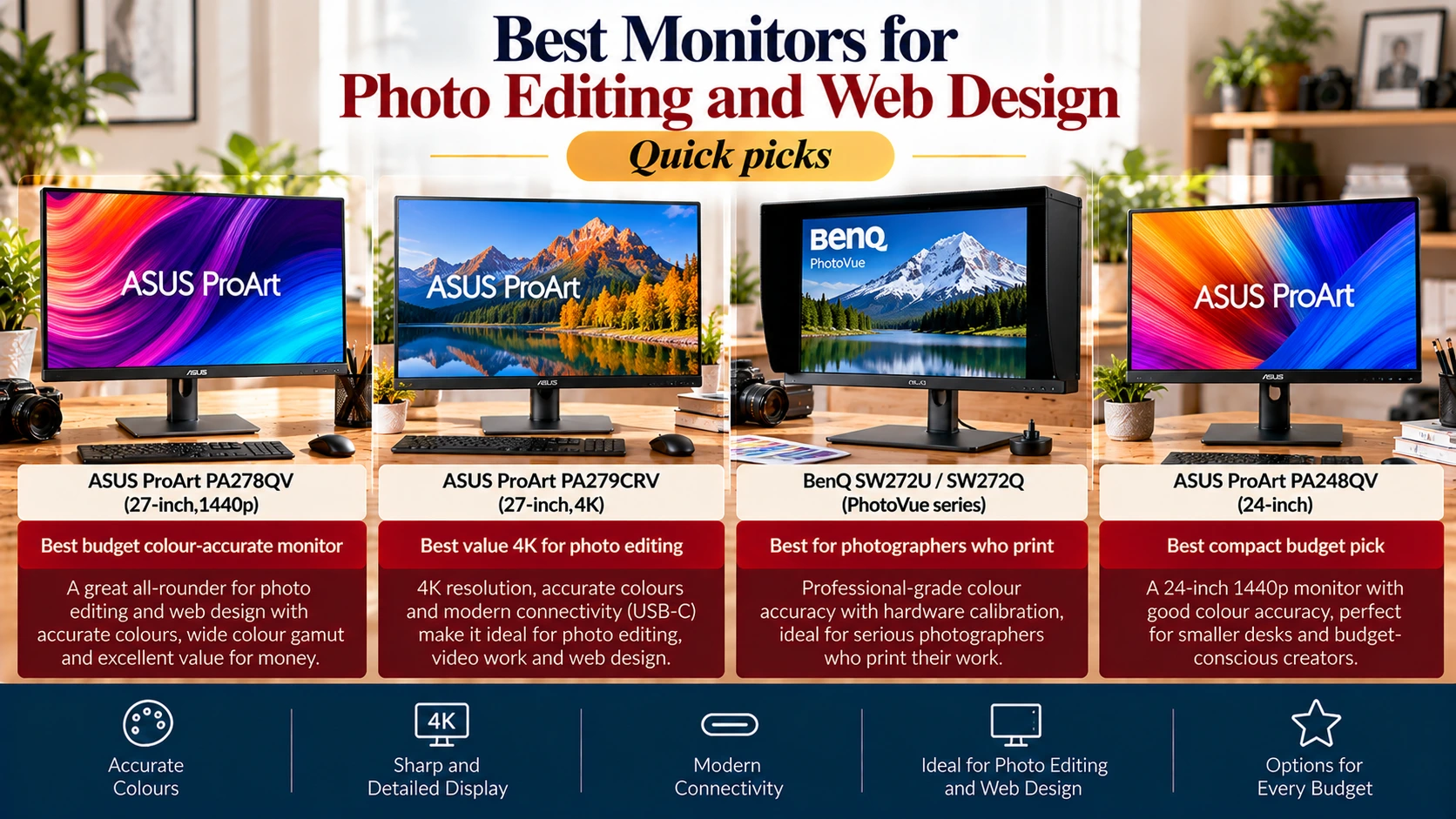
Quick picks
- Best budget colour-accurate monitor: ASUS ProArt PA278QV (27-inch, 1440p)
- Best value 4K for photo editing: ASUS ProArt PA279CRV
- Best for photographers who print: BenQ SW272U / SW272Q (PhotoVue series)
- Best compact budget pick: ASUS ProArt PA248QV (24-inch)
Disclosure: As an Amazon Associate, I earn from qualifying purchases. This costs you nothing extra.
Why your monitor matters for images
If you’ve ever edited a product photo that looked perfect on your laptop but too dark or oddly coloured on your phone, the culprit is often your screen. Most everyday monitors and laptop displays show colours inaccurately, so you end up “correcting” problems that aren’t really there.
A colour-accurate monitor shows images the way most of your audience will see them, which matters whether you’re editing photos, designing websites, or preparing product images before converting them to WebP or AVIF with Simple Image Converter.
Colour terms in plain English
| Term | What it means | Who needs it |
| sRGB | The standard colour space for the web | Everyone making images for websites and social media |
| Adobe RGB | A wider colour space used in print workflows | Photographers who print professionally |
| DCI-P3 | A wide colour space used by modern phones and video | Video editors; designers targeting modern screens |
| Delta E (ΔE) | How far displayed colour is from the true colour; under 2 is hard to spot | Anyone who cares about accuracy |
| Factory calibration | The monitor was tuned and tested before shipping | Beginners who won’t calibrate themselves |
How to choose a monitor for photo editing
- Colour coverage. For web images, 100% sRGB is the must-have. Choose wide-gamut (Adobe RGB / DCI-P3) only if you print professionally or edit video.
- Accuracy. Look for factory calibration and a Delta E under 2. Calman Verified or similar reports are a good sign.
- Resolution and size. 27-inch 1440p is the sweet spot on a budget; 27-inch 4K gives sharper detail for retouching.
- Panel type. IPS panels give consistent colour from different angles.
- USB-C. One cable to charge and connect your laptop is handy for creators on the move.
- Calibration support. Pair your monitor with a calibrator to keep colours accurate over time.
The best monitors for photo editing
1. ASUS ProArt PA278QV: Best budget colour-accurate monitor
PetaPixel calls the PA278QV its best budget monitor for photo editing, noting that ASUS does a decent job on colour accuracy at a very accessible price. It’s a 27-inch 1440p IPS display covering 100% sRGB with Calman Verified accuracy. (PetaPixel)
- Pros: affordable, accurate sRGB, ideal for web and social images
- Cons: not 4K; no wide colour gamut for print work
2. ASUS ProArt PA279CRV: Best value 4K
RTINGS names the PA279CRV its best mid-range monitor for photo editing, praising its accurate colours and 4K resolution, though its contrast is lower than pricier models. It covers 99% Adobe RGB and 99% DCI-P3 and offers 96W USB-C charging. (RTINGS; Thelon)
- Pros: sharp 4K, wide gamut, USB-C laptop charging
- Cons: lower contrast; costs more than 1440p options
3. BenQ SW272U / SW272Q: Best for photographers who print
BenQ’s PhotoVue SW series is built for photographers. Expert Photography rates the 4K SW272U as the best all-round photo editing monitor, with 99% Adobe RGB and 99% P3 coverage and hardware calibration support, while the 1440p SW272Q is a cheaper alternative. (Expert Photography)
- Pros: wide gamut, hardware calibration, SW272U comes with a shading hood and hotkey puck
- Cons: premium price; overkill for web-only work
4. ASUS ProArt PA248QV: Best compact budget pick
The 24-inch PA248QV offers 100% sRGB coverage, a 16:10 aspect ratio that gives extra vertical space, and Calman Verified accuracy at an entry-level price. (Lynn Barsigian Photography)
- Pros: cheap, accurate, fits small desks
- Cons: lower resolution than 27-inch options
For readers in India
ASUS ProArt and BenQ monitors are sold in India through official channels. Indian prices vary, so compare the exact model number on Amazon.in, and make sure the listing includes an Indian warranty.
Tips for accurate colour when editing images
- Use the sRGB mode if your monitor has one when editing images for the web.
- Lower the brightness. Many monitors ship far too bright, which makes edited photos look dark elsewhere.
- Control room light. Avoid strong window light hitting the screen, and keep lighting consistent while you edit.
- Save in sRGB. Export web images in the sRGB colour profile so they look consistent across browsers and devices.
- Check on a phone. Most visitors see your images on mobile; check a few on your phone before publishing.
- Optimise last. After editing, convert to the right format and quality. See our guides on the best image format for each use case and what JPG quality to use.
FAQs
Do I need a special monitor for editing web images?
Not an expensive one, but a monitor with full sRGB coverage and decent accuracy makes a big difference compared with typical office or laptop screens.
sRGB or Adobe RGB?
For websites and social media, sRGB. Adobe RGB matters mainly for professional printing.
Is 4K necessary for photo editing?
No. 1440p at 27 inches works well. 4K helps with fine detail and retouching.
Are gaming monitors good for photo editing?
Some are reasonably accurate, but many prioritise speed and vivid colours over accuracy. Check independent colour accuracy tests before buying.
Do I still need to calibrate a factory-calibrated monitor?
Factory calibration is a great start, but colours drift over time, and your room lighting matters. A calibrator keeps things consistent.
Final verdict
For most bloggers, designers, and online sellers, the ASUS ProArt PA278QV gives accurate web colours at a budget price. Step up to the ASUS ProArt PA279CRV for sharp 4K and wide colour, or choose a BenQ SW model if you print professionally.
Disclosure: As an Amazon Associate, I earn from qualifying purchases. Product details were checked in October 2026 and may change.
References
- PetaPixel. The best monitors for photography and photo editing in 2026. petapixel.com
- RTINGS. The best monitors for photo editing. rtings.com
- Expert Photography. Best monitors for photo editing in 2026. expertphotography.com
- Thelon. Best budget monitors for photo editing. thelon.com