If you’ve ever needed to convert dozens of images from one format to another, you know the pain of doing it one file at a time. Batch conversion lets you process multiple images in a single operation — saving enormous amounts of time.
What is Batch Image Conversion?
Batch conversion means selecting multiple image files and converting them all at once rather than one by one. A task that might take 30 minutes individually can take 30 seconds with batch processing.
When Do You Need Batch Conversion?
- You downloaded a folder of product photos as PNGs and need JPGs for your website
- You received client images as JPGs but need WebPs for performance
- You’re migrating a photo library from one format to another
- You’re preparing images for a social media campaign
- You took screenshots that need converting before sharing
How to Batch Convert with Simple Image Converter
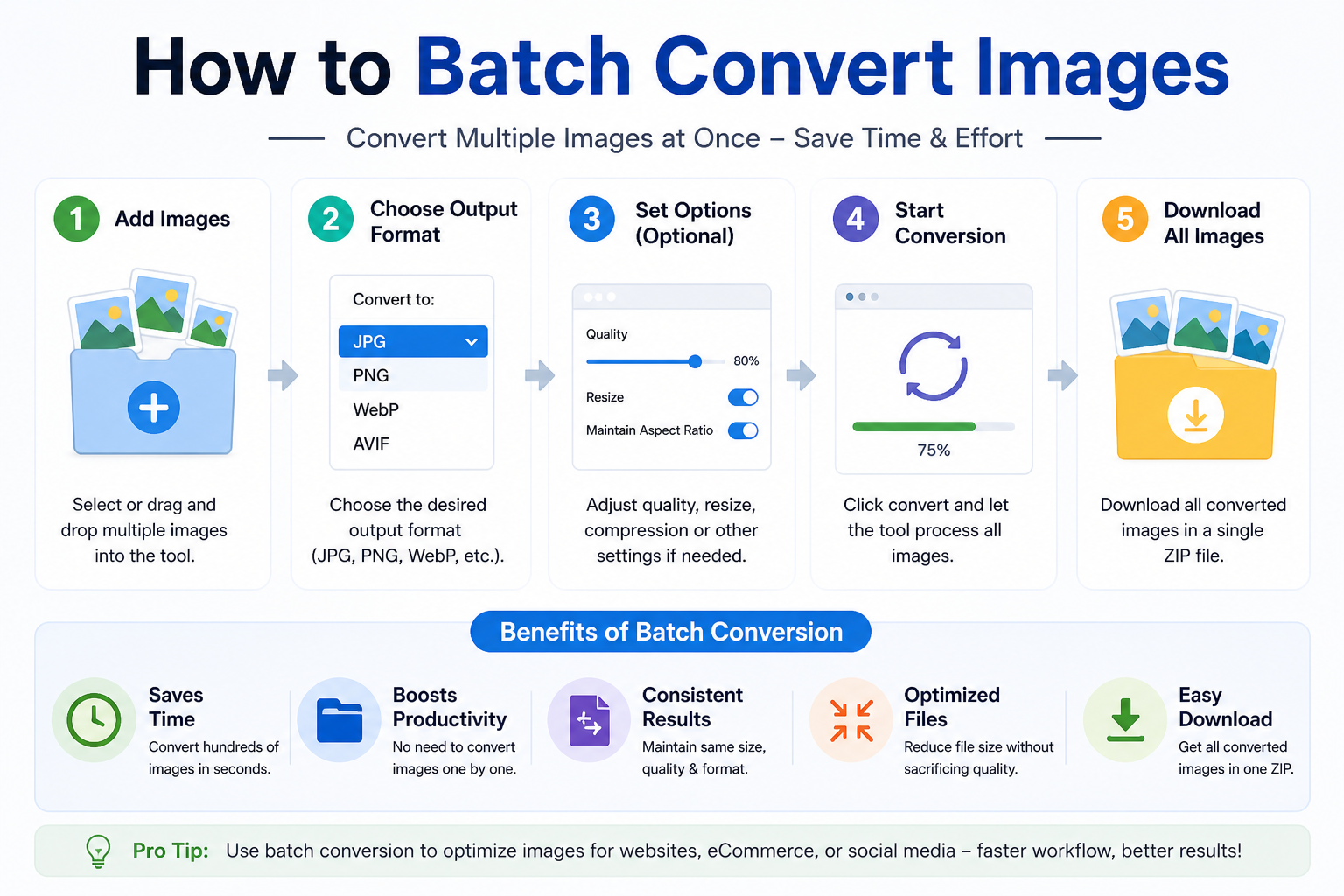
Our converter supports batch conversion for all format pairs. Here’s how:
- Go to SimpleImageConverter.in and choose your conversion type (e.g., PNG to JPG)
- Drop multiple files into the upload area at once — or click to browse and select multiple files using Ctrl/Cmd+click
- Adjust quality settings if needed (for JPG/WebP/AVIF output)
- Click Convert — all files are processed simultaneously
- Download files individually, or click ‘Download All as ZIP’ to get everything in one archive
Tips for Efficient Batch Conversion
- Sort files before converting — check filenames are consistent so your converted files stay organised
- Choose the right quality setting once for the whole batch — you don’t need to change it per file
- Use the ZIP download for batches of more than 5 files — it’s much faster than clicking individually
- Keep files under 20MB each for best performance
All Processing Happens in Your Browser
Unlike most batch converters that require uploading your files to a server, Simple Image Converter processes everything locally. This means:
- No waiting for uploads on slow connections
- No file size limits imposed by server infrastructure
- Complete privacy — your images never leave your device
👉 Try batch conversion now — drop multiple files and convert them all at once. Try it free at SimpleImageConverter.in